Global
Innovative solutions that address business challenges and solve societal issues
Read More
Manufacturing for a harmonious coexistence between people and the planet - value chain for sustainable manufacturing
Unique consumer experiences for all - delivering personalized consumer value
Maximize your life experience - unleash your potential
Toward a prosperous, sustainable society - creating your own life
Make the shift - bringing the power of digital to business and to people
Enabling you to adapt with pace and intelligence - sustainable business transformation
Digital infrastructure for a connected society - seamlessly and securely connect the world
Business Application Services help organizations to address key digital transformation challenges by leveraging a co-creation approach and our Connected Ecosystem. Whether you want to focus on a specific technology, digital transformation or solutions specific to your sector, we look forward to co-creating with you.
To digitalize you need a new speed of IT delivery so you can drive new value, build the right culture and transform your business. We’ve built our portfolio to help you achieve this with hybrid IT, end to end networking solutions and Digital Workplace Services. We are recognized worldwide for the quality of our work and have continuously improved our position in analyst rankings.
Create an adaptive, productive and resilient workforce
The way we work and live is fast changing. Digital technology continues to accelerate and help organizations reimagine the way they operate. It is now time to shift and build a better workplace for our people, organizations and society.
With FUJITSU Work Life Shift, you can empower creativity through smarter solutions, enabling collaboration and ultimately building a truly adaptive and trusted organization.
We are rapidly approaching a time when all things in society will be connected through digital touchpoints and services, where data will be utilized to deliver insights and benefits well beyond the boundaries of industries and companies. In this new connected world, a strong and resilient digital infrastructure foundation will be required for close collaboration.
Read more
Safeguarding against cyber crime is vital for business in the digital world. Fujitsu’s extensive portfolio helps you strengthen your resilience against cyber attacks and improve security of your data, premises and people.
Hyperconnected Business and IoT
Fujitsu combines the power of IoT with digital technologies, AI, & network solutions to deliver hyperconnected business transformation. We connect objects across your entire enterprise to provide a real-time view of how your business is performing at all times.
See Beyond. Think Beyond. Go Beyond.
Fujitsu human-centric AI solutions focus on ethics, transparency and trust. We help you understand what AI can achieve within your organization. Using our co-creation methodology, we help you unlock value from your existing systems, as well as lay the AI foundations to overcome the challenges you face - now and in the future.
Co-creating Program
Fujitsu's co-creating Program helps you to harness the power of collaboration to deliver your unique digital transformation by driving ideation. The Co-creating Program has been developed over decades of experience in Japan and around the world; working with customers, exchanging perspectives, ideas, and information in a highly focused, purpose-driven, and innovative way.
Some business problems have a vast number of potential solutions which are just too challenging to calculate with standard computing technology. From financial model stress testing in banks and process optimization in manufacturing, through to pharmaceutical drug research and development, conventional optimization methods cannot handle the complexity of some of today’s most challenging business problems. This is where our Quantum-Inspired Optimization Services come in. Services that leverage our Digital Annealer Platform to solve complex optimization problems using quantum logic, using tomorrow’s technology today.
IT Services & Solutions Case Studies
At Fujitsu we create strong partnerships with our customers, enabling us to work together to find innovative IT services & solutions. Our case studies reveal how we help your businesses sector wide.
There is a huge value in data and understandably a drive towards digital transformation initiated in every organization. More enterprises than ever are assessing the opportunities hidden in their treasure troves of data to supercharge their business and take the lead in their field.
Drive business resilience and sustainability by choosing the ‘right cloud’ for the right workload.
Enabled by hybrid cloud, digital resilience - the ability for organizations to rapidly adapt to business disruptions - is a core enabler of modern digital business. It’s seen as the key to a successful, agile, scalable and sustainable business future. Make Fujitsu hybrid cloud the next step in your business evolution and build a digitally resilient enterprise that’s protected against any uncertainty.
Based on 50 years partnership with SAP Fujitsu has developed excellence in building ready-to run, private and hybrid-cloud enabled IT infrastructure solutions to support customers in their journey to SAP S/4 HANA. Utilizing unique assessment and consulting methodologies to gather and interpret real-life workload data of existing SAP landscapes, Fujitsu tailors your next SAP IT refresh in order to achieve perfect service levels whilst optimizing IT spending.
The pandemic gave the workplace a new meaning and changed the role of devices dramatically as well as accelerating digital trends that were already underway. Our vision is increase value for our customer and by providing a human-centric workplace - give our customers the power to see into their future.
Fujitsu is your single point of contact for setting up a distributed IT infrastructure that stretches from edge to core to cloud. We combine own server and storage technologies with networking and software products from strategic partners to build complete IT solutions for a hybrid cloud world. Comprehensive consultative, implementation and support services ensure that customers complete this transformation smoothly and successfully.
Pay-per-use options enable a cloud-like payment scheme also for on-premises and private cloud environments.
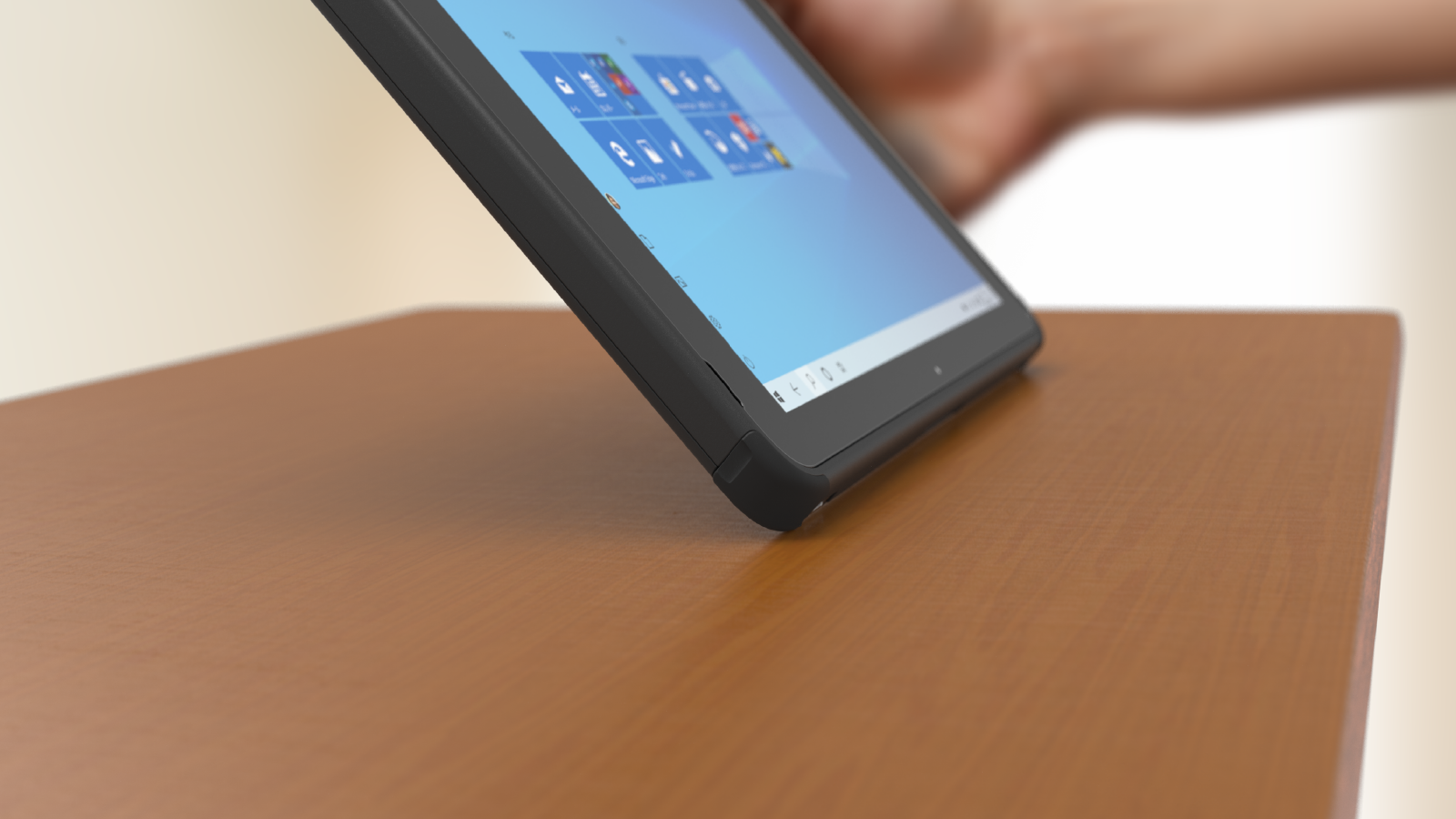
With decades of experience in the industry, Fujitsu combines Japanese engineering and outstanding quality to build and deliver reliable, human-centric devices for all modern working styles. Devices that are secure enough for the work-anywhere, all-digital workforce for the digital economy.
Fujitsu uSCALE
Fujitsu uSCALE delivers flexible, on-premises IT infrastructures “as-a-service” solution via monthly consumption-based billing based on actual usage. Benefit from an IT solution that precisely focuses on your specific needs, saves investment costs, enables dynamic growth, and realize faster time to value.
Fujitsu offers a wide range of services which accompany customers in all phases of their IT infrastructure journey.
We start our engagement with you with assessment and consulting services to make sure that your business objectives and IT purchase decisions go hand in hand. Once products or solutions have been purchased, we provide expert implementation, installation and integration services enabling a smooth go-live phase. Finally end-to-end support offerings help to fix any potential issues in the operations and maintenance phase.
A great end-to-end customer experience is our mission.
Given the requirement to enhance sustainability-focused corporate management, fulfilling corporate social responsibility from a global perspective has become an increasingly important issue. The Fujitsu Platform Business promotes its Sustainability activities based on the Fujitsu Way. Fujitsu takes care to operate responsibly at every stage of the product’s lifecycle.
Automotive Technology Solutions
Fujitsu combines connected and autonomous vehicle technology with world-leading IT services, infrastructure & integration skills to deliver end-to-end automotive IT solutions that increase efficiency, reduce costs & lower environmental impact.
Smart Manufacturing
Manufacturing is a continuously evolving industry. Yet in 2020, a global disruptor brought production to a standstill: COVID-19.
Now the industry has powered up again and COVID-19 is forcing companies to accelerate their digitalization strategy. Manufacturers are striving to meet the demands of a changed consumer by developing agility, resilience and security, responsiveness and innovation. Fast.
Retail Technology and Hospitality Solutions
Fujitsu's innovative retail technology and hospitality solutions increase efficiency and future proof the retail customer experience in an omni-channel world.
Driving a trusted future in financial services
Fujitsu's digital finance technology & solutions increase business efficiency & lower costs. Our agile financial IT services empower you to enhance your customer experience to aid retention.
Digital solutions for transport
Fujitsu has been working with transport operators for over 50 years, providing innovative transport IT solutions that provide real business value. Our urban mobility IT solution transform operations, increase efficiency, improve security & reduce cost across road, rail, aviation and maritime.
Public Sector Transformation
Fujitsu is a world leading Public Sector IT Service provider. We help public sector organizations harness the power of technology to improve citizens’ lives. Our Digital Government Solutions ensure autonomy, secure sharing & data protection.
Digital Solutions for Energy and Utilities
By implementing innovative new digital solutions - from advanced sensors/devices driving smart grids, machine learning predicting asset availability to AI enabling better fault prediction and smart devices giving consumers power over their consumption - providers can overcome the challenges they face in guaranteeing quality, availability and reliability.
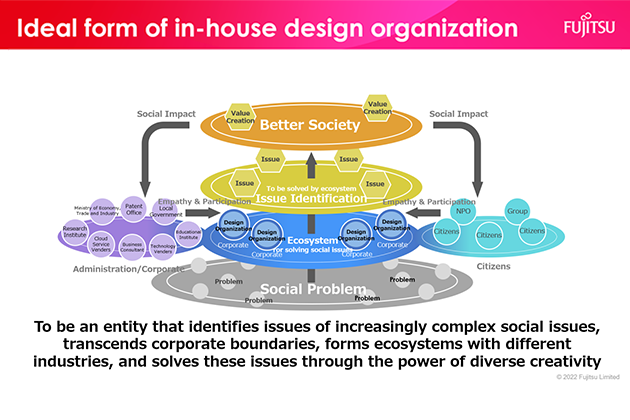
We at Fujitsu, a digital transformation company, will use design thinking to create ongoing innovation that will bring trust to society and build a more sustainable world.